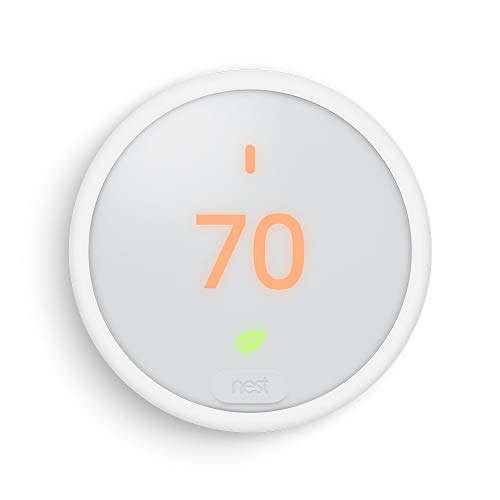
Nest Thermostat E: A Smart Thermostat with Some Real-World Quirks
January 25, 2026
An in-depth look at the Nest Thermostat E’s budget-friendly design, power and wiring challenges, scheduling features, and connectivity quirks to help you decide if it fits your home setup.
Nest Thermostat E: A Smart Thermostat with Some Real-World Quirks
The Nest Thermostat E looks like a simple, budget-friendly way to add some smart control to your home’s heating and cooling. It features app management, voice integration with Alexa and Google Assistant, and can learn your schedule to save energy. It’s appealing for homeowners who want smart features without dropping serious cash. But don’t get too comfortable just yet—this thermostat has some notable drawbacks you need to consider before buying.
Installation & Wiring Challenges
Getting this thermostat up and running isn’t always straightforward. While the install is advertised as quick, it depends heavily on how tidy your home wiring is and having the right components.
- The thermostat often ships with a dead battery, so it won’t power on right out of the box. That means you’ll have to hunt for a micro-USB cable and charger to get it going because none are included in the box.
- If your home heating uses just two wires—as with older or basic systems—that’s trouble. This thermostat really wants a C-wire for continuous power. Without it, you’ll need to run a new wire or install a power extender, which quickly drives up complexity and cost.
- Compatibility with older HVAC equipment is spotty. Some older transformers can cause voltage spikes that can damage the unit or cause erratic behavior, meaning a call to a pro may be inevitable.
- Even with proper wiring, setup can take hours due to power issues and network connectivity troubleshooting.
If you’re comfortable running wires and sorting out these tech headaches, it can fit into many systems. But if your HVAC setup is older or you hate chasing wiring diagrams, this will be frustrating.
Design & Power Management
The Nest E’s design is subtle and unassuming—the frosted white finish blends well on light walls, and the plastic build keeps it light and simple. The control dial works reasonably well but feels a bit cheap and can overshoot the temperature setting.
Power is a clear pain point. The device relies heavily on power from a C-wire or USB charging. If that power supply isn’t solid, the thermostat can run its battery down quickly, especially while scanning for Wi-Fi or updating firmware. You might find yourself regularly plugging it in for a recharge or waiting on slow battery recovery before making adjustments.
All this means some users will struggle with intermittent blackouts or frequent downtime, which defeats the smart thermostat purpose. Make sure your system provides consistent power before committing.
Scheduling & Control
The Nest E promises to learn your habits and adjust your home’s temperature accordingly. It can auto-schedule based on your routine and switch to energy-saving modes when you’re away.
- The learning feature isn’t flawless: changes you make on the fly sometimes get overridden in the next schedule update.
- It’s handy when it nails your patterns but requires manual corrections in the app for irregular schedules—like late-night hangouts or guests.
- You get full app control and voice commands, which are great for on-the-go adjustments if your Wi-Fi is stable.
For steady routines and users who don’t mind occasionally tweaking the schedule, this thermostat offers decent flexibility. For households needing rock-solid, no-fuss automation, it may fall short.
Connectivity & Network Reliability
This thermostat’s Wi-Fi connectivity is a common pain point:
- It occasionally fails to detect networks, especially hidden SSIDs or 5 GHz bands.
- Even with a strong signal, it can drop connection unpredictably, breaking remote access and app control.
- App commands sometimes don’t reach the device, leading to frustration.
Network reliability depends heavily on your home’s Wi-Fi environment. Dense walls, router settings, or unusual network configurations can cause connectivity issues. Without stable connections, the smart features become unreliable.
Power & Wiring Summary
Here are the key power and wiring realities with the Nest Thermostat E:
- The unit often arrives with a dead battery and no included charger — plan on having a micro-USB charger ready.
- It relies on a constant power source via a C-wire; homes without one will need an adapter or new wiring.
- Battery life is short when not wired for continuous power and will drain quickly during Wi-Fi scans.
- Wiring incompatibility with older or simpler heating systems and HVAC transformers can cause erratic performance or damage.
Make no mistake: the “DIY friendly” install claim plays out very differently depending on your home’s wiring and your comfort with electrical systems.
Final Take
The Nest Thermostat E offers a decent entry point into smart thermostats with its clean design, basic voice and app controls, and energy-tracking features. It fits best in homes with modern 24V wiring that includes a C-wire and stable Wi-Fi coverage.
If you’re technically inclined, don’t mind occasional resets, and appreciate value over premium features, this is a solid budget choice.
On the other hand, if your home’s HVAC is outdated, you have no C-wire and can’t add one easily, or if you expect seamless connectivity and scheduling with no fuss, this thermostat isn’t for you. The power quirks, missing charger, and network headaches can turn a simple upgrade into a drawn-out fight.
In short: the Nest Thermostat E works—but only if your home setup cooperates. For reliable, hassle-free smart climate control, investing in a higher-end model with better power options and network stability may save you time and headaches.